HOW IT WORKS
From setup to search — here’s how the platform brings everyone together.

STEP 1
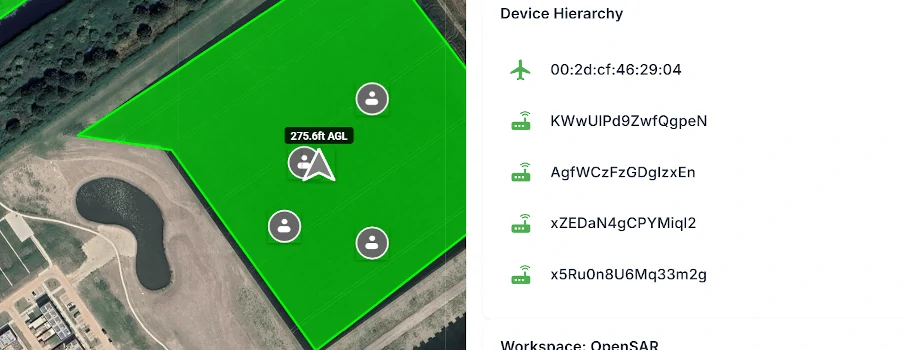
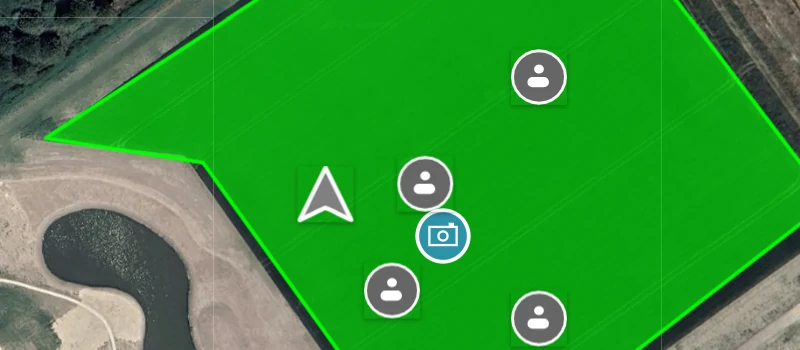
Any team member can define search areas, drop markers and share images. Pilots, ground teams and coordinators all contribute to building the operational picture.
Search areas and markers appear on everyone’s screen in real time. No waiting, no relaying information by voice.
STEP 2
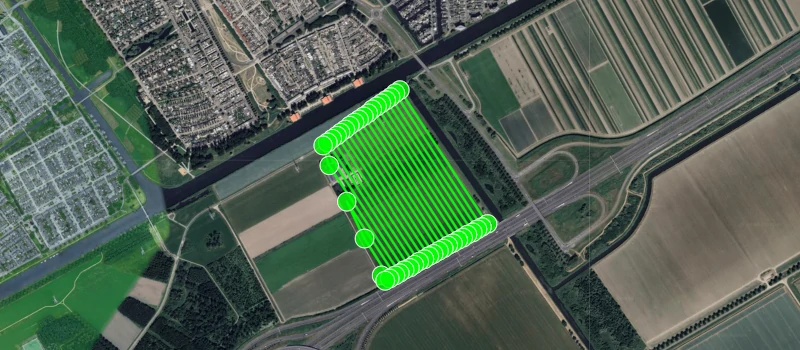
Pilots fly search missions while retaining full camera control — a feature standard DJI area routes don’t offer. Pictures are shared with the entire team instantly.
Ground teams move through their assigned areas with live awareness of every drone and team member in the field.


STEP 3
Every drone in the area — including external ones detected via Remote ID — appears on every team member’s map. Pilots see them on their controller, ground teams see them in the app.
Complete situational awareness for everyone involved, from the first responder to the operations coordinator.